






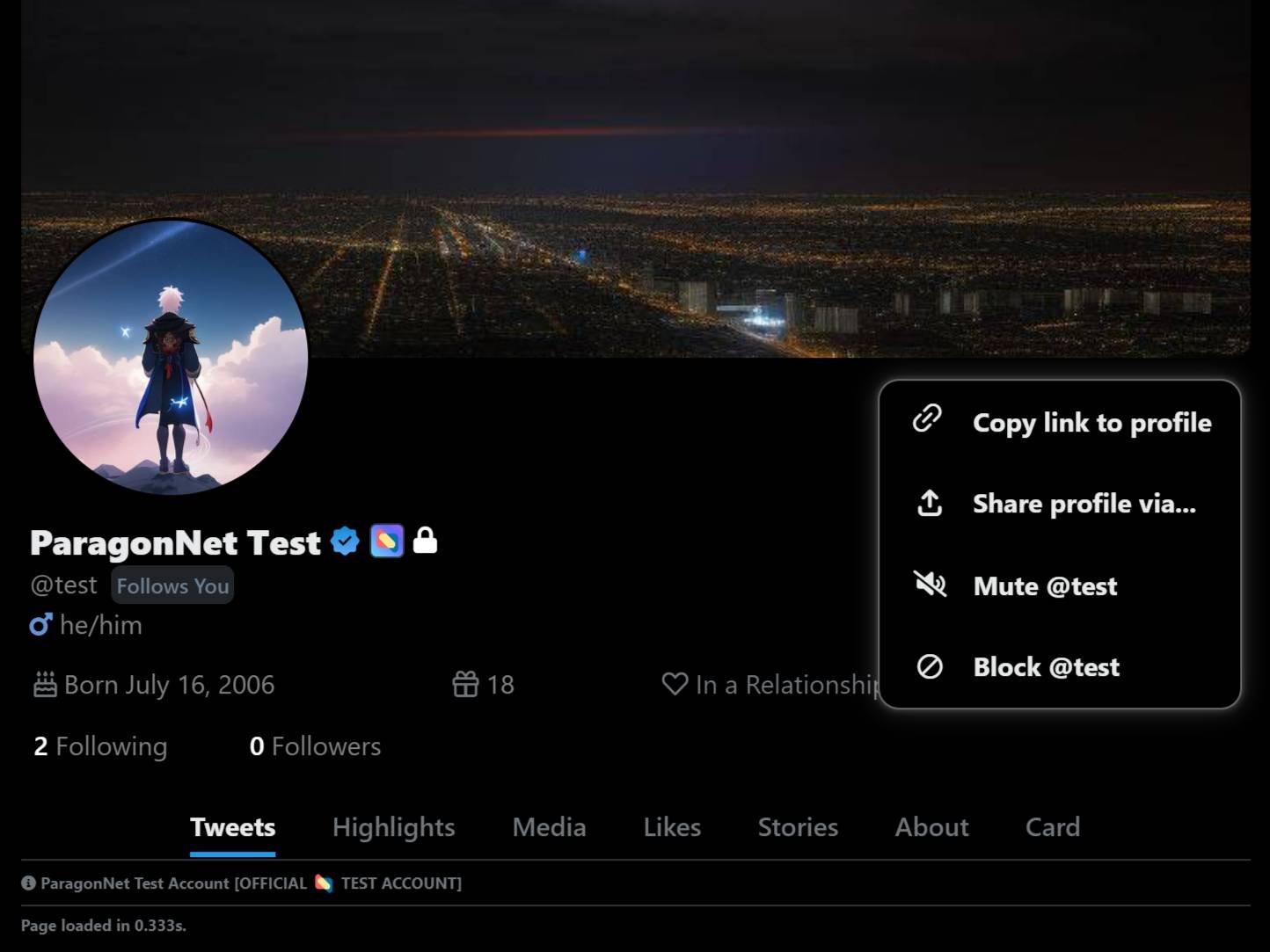
🚀 Introducing Account Blocking on ParagonNet! 🚀
We are excited to announce a new feature designed to give you more control over your interactions and enhance your experience on our platform: Account Blocking! 🎉
🔹 What is Account Blocking?
Account blocking allows you to block specific users, preventing them from interacting with you or seeing your content. This feature is perfect for managing unwanted interactions and ensuring a safe and comfortable experience on ParagonNet.
🔹 How Does It Work?
Block Accounts Easily: Simply navigate to the user's profile and select the block option from the menu.
Manage Blocked Users: Access and manage your list of blocked users from your account settings.
Unblock Anytime: You can unblock users at any time if you change your mind.
🔹 Why Use Account Blocking?
Enhance Your Safety: Protect yourself from unwanted interactions and maintain a secure environment.
Control Your Experience: Decide who can see your content and interact with you.
Peace of Mind: Enjoy a more comfortable and personalized experience on ParagonNet. ✨
Stay safe and happy posting! 🚀
— The ParagonNet Team
#v1.2.1
10:53 PM · Aug 03, 2024 ·
10:53 PM · Aug 03, 2024 ·
Terms of Service
Last TweetPoll Update: June 13, 2026 / 05:26:25pm

Spoilers At the start of your spoiler, add a "/s" followed by your spoiler/s, and end with "!s" to close the spoilers.
Credits Text (Sub-text) At the start of your credits, add a "/creds" followed by your credit/s, and end with "!creds" to close the credits.
Center Text At the start of your text, add a "/center" followed by your text/s, and end with "!center" to close the center text tag.
Bold Text At the start of your text, add a "/b" followed by your text/s, and end with "!b" to close the bold text tag.
Italicize Text At the start of your text, add a "/i" followed by your text/s, and end with "!i" to close the italize text tag.
Horizontal Rule To add a horizontal rule on your post, simply add "/hr" to where you want to put a horizontal rule.
Colored Text There are three (3) different kinds of tags for coloring your text. you may use "/color(*)", "/hex(**)", or "/rgb(***,***,***)" and end with "!color", "!hex", or "!rgb" respectively.
Color examples:
* - (red), (green), (blue), (yellow)
** - (00acee), (ffffff), (123456), (ff0000)
*** - (0,0,0), (120, 140, 160), (255, 255, 255)